Oolong came to us as a kitten in a box almost 12 years ago, and Meghan took her in promising to find her a home. We were new parents ourselves, and not in a great position to feed yet another mouth, but after I got home and met her we decided to keep her.
She got her name because she was the color of pewter – like a colonial teapot. Besides her color she was remarkable for another reason: she didn’t much like human contact. As time passed only a few humans besides ourselves ever saw her. We had other cats, but Oolong was like a ghost.
Her kittenish hair grew out into long, fine, pewter-gray fur — bunny fur, as one person described it. She had lion’s mane around her neck, and a duster for a tail. Gray fur poked out from between the bottoms of her toes and a good brushing would leave enough fur to make a new cat.
She did acclimate to our house in Willimantic, and quietly became an indoor/outdoor cat. During the summer months we would sit on the front steps and, if the street was quiet and we were quiet and Oolong was feeling particularly social, we would be granted the pleasure of her nervous presence. During the winter she would live primarily in the basement during the day and come up to sleep on our bed at night — stealing away in the gloom of early morning.
After we moved north, our cats became strictly indoor cats: Mel because he has FIV now, and Oolong because we were worried that she would get lost. She was very afraid of the the dog, so her world shrank to just the upstairs of our house — three bedrooms and a bathroom.
This new living arrangement gave us a new cat. The formerly shy, quiet, anxious kitty that we had known for a decade quickly became a loving, chatty, snuggly cat that demanded attention and talked to me in the morning. Rather than chafing at her restricted living quarters she thrived. I really think she could relax for the first time in her life.
We noticed one day in 2013 that she was getting very thin — much too thin for the time of year. She didn’t show signs of stress, but she was getting downright boney to the touch. We took Oolie to the vet’s office, where they ran scans, scratched their heads, and suggested various medications. Her weight loss continued so we found a new vet, who ran more scans and pinpointed the problem immediately: her liver was failing. Her skin was orange, her eyes yellowing, classic jaundice. Her liver was swollen. He predicted six months to live, but prescribed daily vitamins that would support her liver in the meantime.
Pilling the cat became a daily ritual called “Mommy’s psycho time” where Meghan would (apparently) lose her mind and shove pills down Oolong’s throat. After waiting a prescribed hour to make sure the vitamins were absorbed, we would feed her and psycho time would be over for the day.
The first evening after the first morning, Oolong demanded love from me as usual — but wouldn’t come near Meghan. We quickly decided that only one of us would betray her tiny trust, so that she would always have someone to feel safe with. Eventually she would trust Meghan as soon as the pill was swallowed.
When one knows that time is limited, you quickly learn to make the most of it. We endeavoured to make her final months as pleasant and filled with love as possible. Our cat’s new-found personality found this quite agreeable.
Our nightly ritual began shortly before I climbed into bed: Oolong followed me through my bedtime routine, chatting at me to get into bed so she could demand love. No matter what else was in store for the night, life would stop so that she could be nuzzled, petted, scratched, and snuggled until she was done. In winter she would play cave cat under the covers.
We would maintain this nightly ritual for nearly two years — a year and a half longer than predicted.
Her end took a surprising turn. We expected a short period of listlessness, absent appetite, vomiting, and confusion from liver toxicity. Instead, she died from something different: a blood clot.
We are no stranger to blood clots in cats. Years ago we had Baker, so-named because he was a powerful kneader, and who’s heart mummer led to a blood clot that temporarily paralysed his hind quarters. We gave him aspirin for six months, hoping to avoid recurrence and educating ourselves on what to do. The best that medical science can offer is very little and the prognosis is universally poor. When Baker suffered another, more severe blood clot, we had to make a hard decision.
We have been saying goodbye to Oolong for nearly two years now, knowing that any night could be her last, but we didn’t expect her end to come this way. Oolong’s blood clot similarly affected her hind quarters, but with her weakened condition there was little the veterinarian could do to help except to make her more comfortable.
We sat in the exam room and said our final good-byes as she passed. The kids were away on a trip and didn’t know until afterwards; there was no time to tell them, it all happened so fast.
She will be missed.
The kitty-copier is broken. The second copy is fuzzy. (Mel and Oolong, 2013)Meghan said “Trying to trim Oo-long’s claws. Did most of one side before she became an impenetrable fortress of fur.”Mel and Oolong visiting me while I worked at home (2014)Oolong was unimpressed with our new digs (2012)
We had a little sight-seeing tour of a car show happening a hop-skip-and-a-jump from our house.
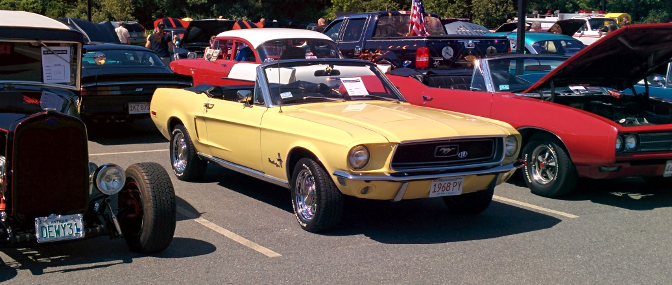
My one-time dream car: a late-’60s VW dune buggyA Ford Model A with real leather trunk and a rumble seatMy regular mechanic has several show cars, including this one: a very rare ’93 Saab 900 configured for rally racingAn early-model Mustang convertible. My mother had a 1964-1/2 yellow Mustang convertible (the very first production year!) so I snapped a pic to show her. Alpha child, her veritable twin, is posing in front.
Not shown: about a hundred more cars, and a bunch of motorcycles.
Selfie of us stargazing on a blanket in the backyard. I didn’t use a flash and it was pretty dark.
We all (Mom, Alpha, Beta, and I) camped out in the back yard to look for shooting stars — tonight is the peak of the annual Perseids meteor shower. We saw a couple of bright streaks, a bunch of dim streaks, and a handful of satellites.
The grrlz got curious about the stars as we lay on the blanket, and we talked about the Big Bang, extra dimensions, time travel, landing on the sun, and extraterrestrials.
Beta wanted to go for a bike ride, and Alpha didn’t want to do any chores, and they both knew that I’m a pushover for going on long bike rides. Beta chose the destination, because Livingston Park is pretty cool and we never let her go there.
Alpha led the way, as the park is on the way to Strongwater Farm (where she takes riding lessons). I think she wanted to prove she can ride her bike that far, as she wants to volunteer to work with the horses when she’s old enough.
While there, they climbed around a little:
The girls doing things that mothers shouldn’t see
On the way home we shall euphemistically say that we “held a few lessons on keeping bikes away from the car lanes,” or maybe “keeping to our side of the white line (and why that’s a good idea),” and leave it at that.
Time for our annual trek to the Cape! Last year the Market Basket imbroglio occurred while we were away; we’re curious if anything similar happens this year.
Day 0: Getting There
Hawksnest Nature Preserve, Cape Cod
Going away for a week’s vacation always leads to more work just so you can relax. After a very busy week at work, I still had significant cleaning to do around the house — I don’t really want our pet sitter to know that we live like this.
Preparations are complicated because we choose to take Butter, the dog, back to her old day care in Willimantic for boarding. (We haven’t found boarding near us that is satisfactory, due to arbitrary breed restrictions, but Marty’s is also located near Baba’s house so it’s not entirely inconvenient.) Meghan and Beta left Saturday morning and drove to the cape with Baba, leaving the bulk of the work for me. By lunchtime Alpha and I were ready to roll!
Traffic to the cape was moderate, more than we’ve experienced in the past, but we normally go later in the afternoon due to other obligations. I think next year we’ll just wait until later in the afternoon for an easier drive — whether we have obligations or not.
We left our respective locations at different times without coordinating but somehow Meghan and I arrived at the cape house within a couple of minutes of each other. Talk about timing!
So long as Baba invites us to spend a week at the cape, we offer to prepare all the meals (except when she wants to treat). We immediately went back out to Orleans to go shopping for food and a package of spare underwear for one of the kids. (A poorly timed growth spurt.)
After dinner the only ones who felt like moving were Beta and me, so we ventured out for ice cream. There’s a new-to-us place down the street called Short n Sweet. Good ice cream, but I was a little taken aback that they were cash-only — it’s not uncommon on the cape, but it wasn’t posted anywhere. I was short of cash but they gave us our ice cream anyway. I returned a few minutes later, after rolling Meghan for money, to settle up.
Long day, so we went to bed early all around.
Day 1: Beach pt 1, Chatham pt 1
Sunday spawned a beautiful day. Megh whipped up a breakfast that couldn’t be beat, and we toddled out to Sea Street Beach (a.k.a. Crows Nest Beach) in Dennis – our traditional bay-side destination.
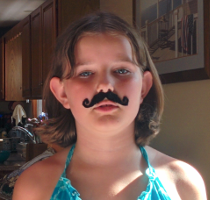
Beta purchased a package of fake mustaches in Yarmouth and modelled all of them when we got home.
We got a late start, though, and arrived after the parking lot had filled up. No legal parking anywhere within walking distance. I gallantly offered to take the car out for a spin while the womenfolk got started on their ocean- and sun-bathing activities, thinking that if I came back at lunchtime (only 30-40 minutes hence) that one or more spots would open up.
After coming back and confirming that no spaces existed, Baba offered to switch with me so I could enjoy the beach for a bit. She carries the luck of the Irish, though, because a spot opened up before she left the parking lot.
We were part of a group of people that made a minor faux pas and spread our blankets on the private side of an invisible property line on the beach. A geriatric citizen appeared around noon to inform us that we were infringing on “his” property, even though we were below the mean high tide mark. (The quotes will be explained momentarily.) He demanded that everyone move, but Meghan stood her ground and said she would be happy to move if asked — which he did, so we moved. I love this woman.
A group of twenty-somethings took umbrage at this and verbally challenged this claim; the “owner” called the police and stood there to wait for them. The guys stood firm, poked some harmless fun at him, and waited for the police because they felt they were in the right.
When the police arrived they calmly and politely let us know that the property actually has deeded rights to the water line, not the high-water mark. We also found out that this guy doesn’t actually own the property: his son does. The officer very expertly talked the twenty-somethings down as well, averting any more bad feelings. I think they respond to frequent calls from this guy when he’s in town, but the son is much more easy-going. Meghan actually called the station to talk to his supervisor, in order to compliment his performance.
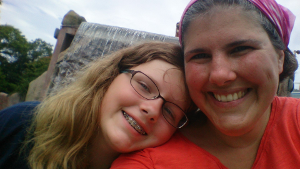
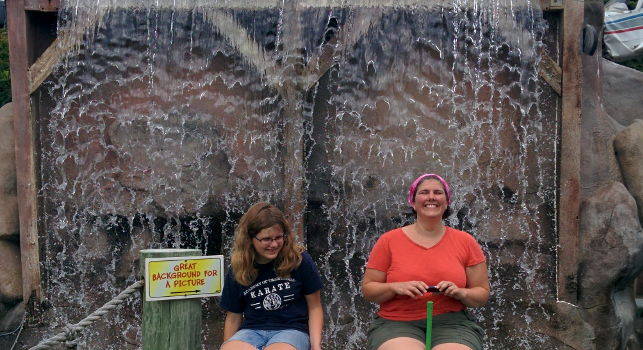
Meghan and Alpha paused mini-golf for a selfie
The water was cold but clear, and I had a good time frolicking with the kids in the water. We left before sunburns could really get started.
A plan for meals now in hand, Meghan and I headed back out with a shopping list. Among our purchases: a single package of 2 1/2 dozen eggs, in addition to the dozen we had purchased the night before. That seems like an absurd number of eggs but we still ran short of eggs by day six, as well as pretty much everything else.
After dinner of BBQ chicken sandwiches, Meghan and I ventured to downtown Chatham for a little date, while Baba watched the girls.
Day 2: Chatham pt 2
Weather: there were overnight rumbles of thunder. The day was hot and humid.
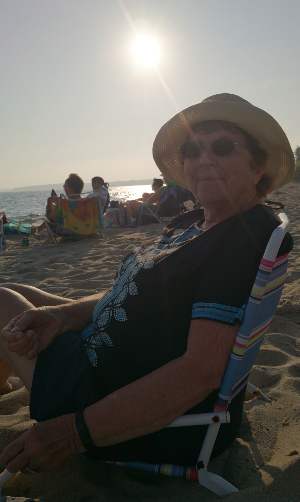
Baba @ Harding Beach
We had a particularly late start, because hey we’re on vacation. The general desire was to head into town and poke around.
We started at the west end of town, by the parking lot. At Beta’s insistence we popped into the Black Dog shop, where she found and fell in love with a giant (life-size) stuffed black dog toy. At $65 I immediately balked, but she had over $100 in savings and birthday money so we couldn’t really deny her request.
We only delayed the inevitable by requesting she wait until the end of the day to make the purchase, hoping she would find something she wanted more, or forget about it, or listen to reason (our reason, not hers) that she should save her money for later. She did not do any of those things so we now own a giant stuffed black dog.
I think Baba was worried that she would quickly tire of sandwiches, as she took us to lunch at the Chatham Squire instead of letting us pack it at home. The food was generally good, but they had some of the best fried calamari I’ve had anywhere — tasty and light, not greasy at all.
For dinner I made tacos with fajita-marinated chicken. Our plan of eating leftovers on Friday started to wane early, as there were no leftovers.
Day 3: Hawksnest, Yarmouth, Beach pt 2
Another lazy morning was in the offing, but I wanted to get to know the area. There’s a conservation area near our house that I wanted to see. Alpha was a little bored and wanted to go immediately; Beta decided that she wanted to go when she realized we might actually see wild animals. Meghan and Baba wanted nothing to do with activity so early in the morning (9:30 am).
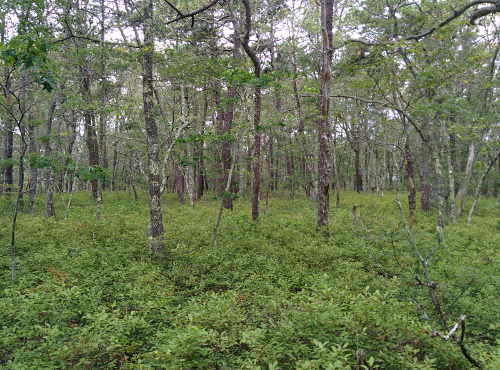
Hawksnest Preserve in Harwich, Cape Cod
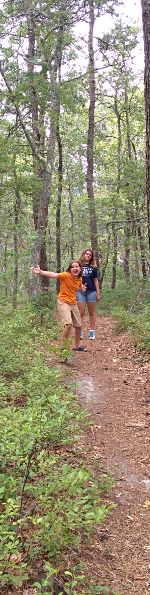
The preserve is decently sized and pretty, but it all appears to be new-growth forest. I figure it can’t be more than 30-40 years old, based on the tree-trunk widths. The only wild animal we saw, besides birds, was a Fowler’s toad. We all got to hold it a moment before sending it back on it’s way. I’m very proud of my girls that they don’t shy away from things like going hiking and holding toads.
After lunch we all left Baba at home and cruised to Yarmouth for some shameless vacation fun. We tried a mini-golf place with animals all over, checked out a few stores in search of boogie boards, and stopped at our traditional salt-water-taffy-store. The afternoon was pretty hot and humid, with the occasional sprinkle, so we kept the convertible’s top up.
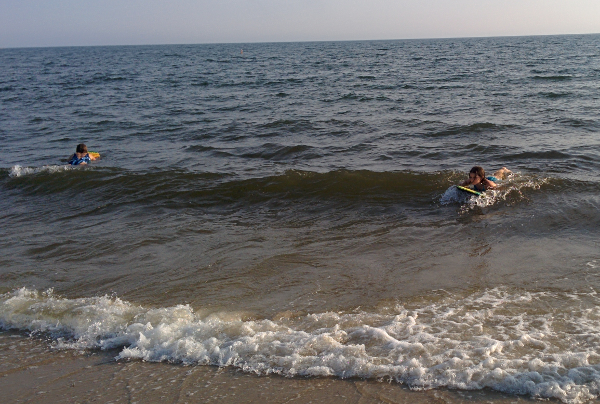
Boogie boarding at Harding Beach
After we got back we met up with Baba, who had spent the afternoon at the beach and wanted to go back. The girls jumped in their bathing suits and headed to Harding beach while I ran to the store for an impromptu dinner on the beach: bread, cheese, and grapes (our so-called French dinner).
The ocean-side water was surprisingly warm so we ate and swam until a fog rolled in and the breezy air became chillier than the water.
To finish the night, we took the kids to Schoolhouse Ice Cream. We really like their ice cream better than Sundae School (but Sundae School has better atmosphere). We sat outside and ate our ice cream and met a local young woman named Emily. She mistook us for someone else, but we wound up talking until it was time to bundle the girls home for a very late bed time. (An aside: I’m pretty sure Emily has Asperger’s; both my brother and my older daughter are diagnosed aspies so I tend to recognize them quickly. I purposely engaged her in conversation, but I went easy because I didn’t want anyone to be uncomfortable. She was very nice and seemed a little happy to be social for a bit.)
Day 4: Beach pt 3 & 4
Fog rolling in at Harding Beach. It went from sunny to this in about 15 minutes.
I really dig hiking, especially on vacation when I can go to all-new places. I had noticed on the maps that there’s another nature preserve at the south-eastern tip of Chatham, which is also the south-eastern tip of Cape Cod.
Neither kid was interested in hiking on this fine day, but Meghan was up and interested so we went out on an adventure together.
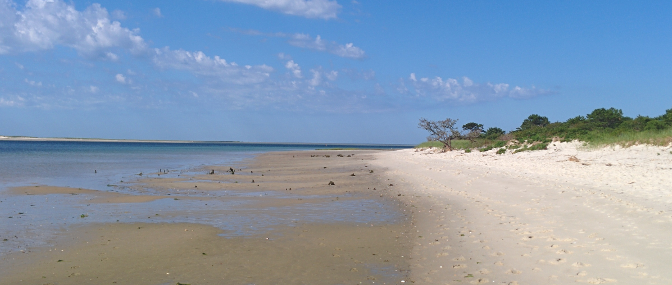
Morris Island is part of Monomy National Wildlife Refuge. Contrary to what the name implies, Morris Island can be driven to, while the rest of the refuge can only be accessed by boat.
We hiked about a quarter of the shoreline (plus a brief detour into the interior to see where a particular trail through the marsh led to) before turning around. We stumbled across a number of horseshoe crab molts, including three perfect ones that we brought home, as well as some live starfish that were caught on the sand as the tide went out and one old snail shell with some possibly-live oysters inside. We moved the living things back to the water’s edge.
We were all hungry when we got back, as no-one had eaten breakfast — Meghan and I didn’t eat before leaving so that we could leave early, and everyone else was apparently uninterested in actually making food. It was almost lunch time, so Baba took us out to an awesome lunch at a newly-discovered diner for locals, Larry’s PX. This is the kind of place that hangs a “Sorry, We’re Open” sign on the door, and the local cops eat here. Our mixed breakfast and lunch totally lived up to expectations.
Minigolfing in Yarmouth. It took forever to get Alpha to crack a smile.
Afterwards Baba and Megh went shopping at the local pottery places, while the girls and I tagged along. The girls were bickering a bit so I started making plans to split them up for a bit.
Pottery shopping done with minimal damage to our wallets, Baba and I took Beta to a different bay-side beach in Brewster called Robbins Hill beach. Much like Sea Street beach the slope is very flat; the water was somewhat dirty with life, but the tide was high so that may have been responsible for washing in extra junk. It was a small, almost personal beach and the parking fees in Brewster end at 3 pm (instead of 4 pm in Dennis), so I think we’ll go back again.
Tim and Delta were due to arrive in a bit so we stopped at the local liquor store to pick up a little wine and beer. It was seriously disappointing and we won’t be going back.
Tim arrived shortly after we finished dinner, and sooner than he should have if he had obeyed all traffic laws. I, personally, was glad they came. Living in a house with four women and no men gets old very quickly. At home I have a cat for male company, at least.
Day 5: Nantucket
We have a rotation of “specials”: one year we go on a whale watch (or similar), one year we go to Martha’s Vineyard, and one year we go to Nantucket.
Tim and Delta @ downtown Nantucket. Master/Blaster?
With Tim and Delta on-board for Nantucket, we set out in search of tickets. There are three ferry options that we know of: the Nantucket Fast Ferry out of Harwich (very convenient to get to from Chatham); Hy-Line Cruises (consistently lowest price); and the Steamship Authority (the priciest option, but most frequent sailings).
After finding out that Groupon had some expired deals for the other ferries (WTF Groupon!), I found a special weekday-only deal for SSA out of Hyannis on SSA’s own website, which made it cheaper than the other options by quite a bit. I guess the overall higher prices give them some wiggle room for specials.
Meghan and I were up really early, before 6 am, because that’s our normal schedule. The rest of the house, not so much. I think Baba wanted to treat a nice breakfast for everyone at Larry’s PX, but we ran out of time and skipped it.
That we didn’t stop for breakfast before the ferry was probably best. We made it to Hyannis, found parking and a shuttle, and made the ferry with some time to spare — but only 20 minutes, not the hour or more a sit-down breakfast would have taken. We made-do by grabbing a bite at a kiosk in the terminal.
The ferry trip was pretty routine, not much to say except that it was packed full and we all sat in pairs, scattered across the boat.
Our first stop after arriving was a couple benches to eat our lunch: PB&J and fluffernutters. When we had finished, we turned around and realized we were sitting in front of the Whaling Museum. This became our second stop.
The Whaling Museum is arguably one of the best small museums that I have ever attended. They have well-thought-out exhibits that provide interest; they have unique artifacts, from paintings to period items, from an actual whale skeleton to the last remaining whale-oil press known to exist.
We sat for a talk on the Essex, a whaling ship that was known to be attacked and sunk by a sperm whale and served as the inspiration for Moby Dick. The presenter stayed for Q&A afterwards and was highly knowledgeable and pleasant.
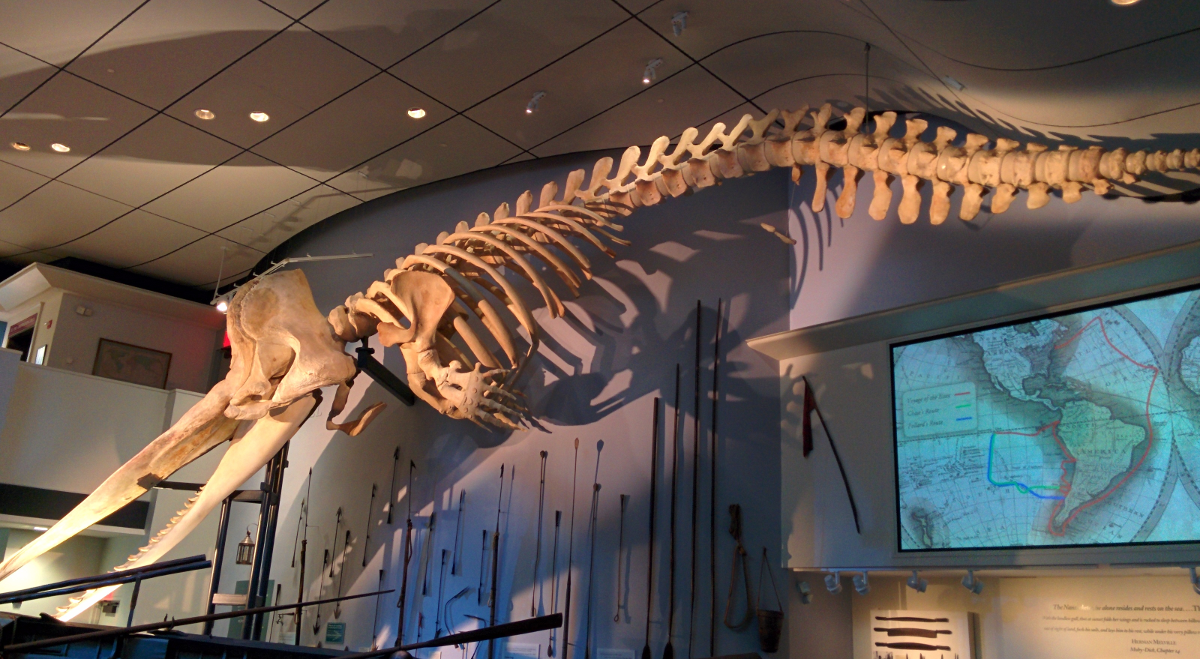
Adult sperm whale skeleton hanging in the Whaling Museum in Nantucket. The whale washed ashore and died of natural causes back in the ’90s. This is NOT from a hunted whale.
Meghan, who had been to the museum before, kindly kept the littlest ones busy in the kids room while the rest of us explored the museum. She was eventually spelled by Baba, and Megh and I had a fun time following an exhibit about the Essex where you pick a crewman and uncover his fate (died, eaten, or survived).
After staying for a couple of hours, we finally re-entered the present day. We walked around a bit, did a circuit around the block, I bought ice cream for the kids, and we considered an early dinner. We uncovered a tavern called Brotherhood of Thieves that seemed intriguing. The atmosphere actually matched the name – dark, low-ceilinged, a little moody. The service was attentive, the nacho appetizer was excellent, the entrées were delicious (and probably too big – we all left food on our plates), and the prices were exorbitantly high. (I’m not considering the premium for eating on the island when I say that – other restaurants were probably comparably priced, but I was a little taken aback.)
I pause here to note something: Nantucket is preppy central. Megh and I noticed a preponderance of kids and adolescents in the ‘preppy summer uniform:’ guys in polo shirt, khaki shorts or pants, and topsiders without socks, and a particular Kennedy-esque haircut (not too short); girls in thigh-length one-piece dresses. The adults were in the adult version of the same: men in khaki shorts, nice shirts, and possibly sandals; women in shorts or pants, and polo shirts or button-down shirts.
After dinner we split up and wandered downtown in groups. At one point Meghan had Beta and was watching Delta, and lost him to ‘potty tourism’ in a book store. We all converged on the store but he was located quickly by Tim (who was aware of his tendencies).
As we drove to the Nantucket ferry Beta decided to dry her tongue out, to see just how dry it could get. She seemed to find the experience interesting, but it didn’t impede the remainder of her day.
The book store was also site of a funny shared experience of sorts. I was people-watching outside the book store after the potty-tourism incident, Baba was shopping down the street, and Meghan was back inside. A couple walked in the door, both probably about fifteen years old. The girl was mostly unremarkable in her white dress but the boy was in full preppy regalia. They both looked conspicuously uncomfortable, as if they were on a date and trying hard (too hard) to impress both each other and strangers. Independently, Baba noticed them down the street, I noticed them going into the store, and Meghan noticed them shopping in the store. We realized it later when we were comparing notes, because they stood out to all of us enough to mention to each other.
Meghan and I took the girls outside the downtown a bit to see the houses and non-shopping sites, like some pocket parks and the Coffin School. We all met up on the pier for the 6:15 ferry and had another pleasant ferry ride back to the mainland. The shuttle bus was standing-room-only back to the car.
The ride home was practically made for a convertible. When we got off the Route 6 expressway Megh and I turned on the radio and caught a local rock station playing some late-80’s songs that we know well by REM and Tears For Fears. We sang along while cruising over local roads and the girls shrank into the back seat and tried to disappear.
Tim and I had passed each other a couple of times on route 6, which turned into race once we got off the expressway. (Tim took a different route than us.) Megh and I won, but barely, by rolling through a right-hand turn at a stop sign, and kind-of, sort-of cutting off Tim (who was about to come straight through the intersection).
After getting home, I realized I was missing my ‘home’ key-ring: front and back doors, various retailer loyalty tags, and key-ring multi-tool. There’s no directly-identifying information so I’m not worried about burglars, and there weren’t any car keys so nothing will be expensive to replace, but I’m going to miss that particular multi-tool. Maybe a good samaritan will find them and return them to one of the stores I have a tag for, and the store will get them back to me.
Day 6: Beach pt 5, Chatham pt 3
Dad driving to Nauset beach
Last year we discovered Nauset Beach in Orleans, which has bigger surf than the southern-facing beaches in Chatham. The beach is long and made of fine white sand, except for the very edge of the water where erosion has left larger stones. We made a half-day of it this year.
Alpha claimed in the morning that she didn’t want to go, and through some gentle prodding we uncovered part of the reason: she’s having body image issues. (She thinks she’s fat, which she’s not. Oh boy, this will be a loooong adolescence.) After lots of reassurances, plus some tickling to get her off the couch, we were finally ready to go — all of us: Baba, Joneslings, Tim, and Delta.
Without storms in the area the surf was subdued compared to last year, but that’s all relative: it was still big enough to knock me on my ass when I chickened out on the cold water (which got me into the water anyway, of course, ready or not.)
Delta preferred to remain anonymous, using Baba’s hat.
The girls had a great time with their new boogie boards, riding the waves, while Megh and I worked our way out a bit until we could barely touch bottom – we were brave enough to go that far but not to tempt fate (and rip currents) out further. Delta, who is still a bit small for the waves, mostly played on the beach, digging holes in the sand and snatching rocks from the water line.
There were a pair of seals in the area, cruising the beach about 50 yards out. They occasionally came in close and popped their heads up, and the pair came up to no more than 20 yards away from me, where we could stare at each other. That was cool.
Unlike earlier days, we stayed during the ‘sunburn’ hours: 10 am – 2 pm. Meghan and I were lightly burned on our upper arms and shoulders when we left. Baba and Tim had slathered up in sunscreen, and didn’t burn at all. They’re still bright white today, so I’m not sure which decision was better. Alpha and Beta were “brown as pagan babies” before we went, and are even browner today. Alpha also has “battle scars” on her legs from wading through the rocks at the water’s edge.
Delta missed his afternoon nap and tried to catch it on the way home, which led to a very unhappy youngster when we reached home and he woke back up. He recovered quickly, though, and powered through the rest of the day in good spirits.
After washing up, Meghan and I headed to Chatham for another mini-date. Meghan picked up my next Christmas present (a gorgeous watercolored engraving) from one of the galleries, while we noshed on some iced drinks from Carmine’s. We also stopped into Gallery Antonia, a fascinating high-end gallery owned by a rather classy and erudite man name Dominic. We enjoyed talking with him for a good twenty minutes about nothing in particular.
We had planned a pizza-and-movie dinner for the family, and on Dominic’s recommendation we tried out the Sweet Tomato. They serve a fantastic thin-crust pizza; we tried Margherita, pepperoni, and Hawaiian-style pizzas. We also stopped into the Chatham Liquor Store next door and discovered a new sangria called Mija — Meghan and Baba enjoyed it very much.
After dinner the adults stayed out on the back deck and talked until the mosquitoes came out, at which point it was bed time for the kids. Tim, Meghan, and I stayed late up to watch X-Men 2 with RiffTrax.
We hiked out to a wildlife preserve and ran across these tracks all over the sand. Morris Island Nature Preserve, Cape Cod.
Day 7: Homeward Bound
The last day is always bittersweet: sad that vacation is over, but glad to be heading home. We all cleaned up, packed up, ran the dishwasher, and were ready to go with lots of time to spare before the final check-out time.
We finally broke with a tradition this week: we did NOT go to Wee Packet for Irish breakfast. We went back to Larry PX instead. Alpha was a little put out, but Larry PX puts on a very good meal, so she was satisfied with chocolate chip pancakes.
After breakfast we headed for home while Baba, Tim, and Delta went to the beach for one last dip and to wait out the traffic.
Our ride home was easy, the Sagamore bridge wasn’t too bad going west at noon. East-bound up to the bridge was backed up for miles, though. A small traffic snarl on route 3, but Waze took us through secondary roads to get around it, and we were home in about two hours.
Upon arrival, Mel was very glad to see us and spent the afternoon rolling on the floor in front of us at every opportunity. Oolong had gone feral again while we were away and hissed at the kids, but calmed down and (mostly) returned to normal by bedtime.
We picked up Butter from boarding the following day. She was most excited to see us; Mel was not excited to see her, though — I think he hoped we had lost her during the week.
Our network has been based around a home-built router for quite some time, ever since I got fed up with the crappy ActionTec router that Verizon bundled with our FiOS service. (If you’re going to offer high-speed internet, you should probably bundle equipment that can actually keep up.) I had originally followed a slightly older version of these instructions to get a nice basic router going. But I finally wanted better. I wanted the bright, shiny, new thing. I wanted IPv6.
So, here’s my instructions for going from an existing IPv4 router to dual-stack IPv4/6.
Note: I am using dnsmasq for DNS and DHCP, hostapd for wireless management, and an iptables firewall. Since Verizon still doesn’t widely support consumer IPv6, I’m using a tunnel broker to get my /6 address. If you’re using a different setup your mileage may vary. If you find anything that I appear to have forgotten, please let me know!
Step 1: Recompile the Kernel
This should be obvious: if you want to run ipv6 you need ipv6 support in your kernel. In order to trim as much off my kernel as possible I did not have it built in, and had to recompile.
You should also add netfilter support for ipv6 so that your firewall will work.
Networking support  --->
    Networking options  --->
        <*>   The IPv6 protocol  --->
            <*>   IPv6: IPv6-in-IPv4 tunnel (SIT driver)
        [*] Network packet filtering framework (Netfilter)  --->
            IPv6: Netfilter Configuration  --->
                <M> IPv6 NAT
                <M> IP6 tables support (required for filtering)
                <M>   Packet filtering
                <M>   ip6tables NAT support
                <M>     MASQUERADE target support
                ... other filtering options as you may need for your situation
Step 2: Update Your IPv6 Support
Again, it was never compiled in, in order to trim off unused bits of code. Add ‘ipv6’ to your USE variable and emerge --newuse world
Step 3: Install network tools (if they aren’t already)
If your ISP doesn’t provide ipv6, and many don’t, you need to request an address range from a tunnel broker. I’m using Hurricane Electric, which is free, but there are others — see this list or just google it.
If you have multiple machines on your network (which is assumed, since this is a router guide), you may prefer a /48, so that autoconfig works nicely, instead of the default /64. This guide assumes a /48.
Going forward, replace 2001:470:891a: with your own /48 range.
Now activate your tunnel:
ip tunnel add he-ipv6 mode sit remote 1.2.3.4 local 5.6.7.8 ttl 255
ip link set he-ipv6 up
ip addr add 2001:470:1f06:2a3::2/64 dev he-ipv6
ip route add ::/0 dev he-ipv6
ip -f inet6 addr
Step 5: Update Your Net Config
I have two wired and one wireless card in my router. Here’s what my /etc/conf.d/net looks like:
# enp2s0 is my exterior wired nic (aka public facing)
# enp3s5 is my interior wired nic
# wlp3s6 is my interior wireless nic

dhcp_enp2s0="nodns" # we choose our own DNS, tyvm

config_enp3s5="192.168.0.1/24 2001:470:891a:0::/64"

modules_wlp3s6="!iwconfig !wpa_supplicant"
config_wlp3s6="192.168.1.1/24 2001:470:891a:1::/48"
dns_servers_wlp3s6="127.0.0.1"
After making appropriate changes, restart your NICs. If you’re working remotely, you may want to be connected via two paths instead of just one (so when you inevitably get bounced and can’t reconnect, you still have a way back in).
A properly-configured set of addresses looks like this:
# ip addr
1: lo: <LOOPBACK,UP,LOWER_UP> mtu 65536 qdisc noqueue state UNKNOWN group default
    link/loopback 00:00:00:00:00:00 brd 00:00:00:00:00:00
    inet 127.0.0.1/8 brd 127.255.255.255 scope host lo
       valid_lft forever preferred_lft forever
    inet6 ::1/128 scope host
       valid_lft forever preferred_lft forever
2: enp2s0: <BROADCAST,MULTICAST,UP,LOWER_UP> mtu 1500 qdisc pfifo_fast state UP group default qlen 1000
    link/ether 00:e0:4d:bf:03:f5 brd ff:ff:ff:ff:ff:ff
    inet 108.20.118.17/24 brd 108.20.118.255 scope global enp2s0
       valid_lft forever preferred_lft forever
    inet6 fe80::cbdf:25c0:c948:f4bb/64 scope link
       valid_lft forever preferred_lft forever
3: enp3s5: <BROADCAST,MULTICAST,UP,LOWER_UP> mtu 1500 qdisc pfifo_fast state UNKNOWN group default qlen 1000
    link/ether 00:04:5a:42:a6:98 brd ff:ff:ff:ff:ff:ff
    inet 192.168.0.1/24 brd 192.168.0.255 scope global enp3s5
       valid_lft forever preferred_lft forever
    inet6 2001:470:891a::/64 scope global
       valid_lft forever preferred_lft forever
    inet6 fe80::204:5aff:fe42:a698/64 scope link
       valid_lft forever preferred_lft forever
4: wlp3s6: <BROADCAST,MULTICAST,UP,LOWER_UP> mtu 1500 qdisc mq state UP group default qlen 1000
    link/ether 00:1a:ef:07:4d:a7 brd ff:ff:ff:ff:ff:ff
    inet 192.168.1.1/24 brd 192.168.1.255 scope global wlp3s6
       valid_lft forever preferred_lft forever
    inet6 2001:470:891a:1::/64 scope global
       valid_lft forever preferred_lft forever
    inet6 fe80::21a:efff:fe07:4da7/64 scope link
       valid_lft forever preferred_lft forever
5: sit0@NONE:  mtu 1480 qdisc noop state DOWN group default
    link/sit 0.0.0.0 brd 0.0.0.0
6: he-ipv6@NONE: <POINTOPOINT,NOARP,UP,LOWER_UP> mtu 1480 qdisc noqueue state UNKNOWN group default
    link/sit 108.20.118.17 peer 209.51.161.14
    inet6 2001:470:1f06:2a3::2/64 scope global
       valid_lft forever preferred_lft forever
    inet6 fe80::6c14:7611/64 scope link
       valid_lft forever preferred_lft forever
Test it with a ping:
ping6 www.kame.net
Step 6: Reconfigure dnsmasq
You’ll need to add router advertisments and your new addresses. Rather than hard-coding an address, dnsmasq offers a ‘constructor’ label which figures it out automatically. Here’s the relevant section from my /etc/dnsmasq.conf:
Pretty much every iptables reference in your firewall config will be mirrored with an ip6tables command.
Here’s my script to set up iptables (if you see an error or something stupid, I would appreciate your criticism – paired with your reasoning on why it should be changed so I can know better for next time).
#!/bin/bash
# based on http://www.gentoo.org/doc/en/home-router-howto.xml

# set to '0' to lock the kids out
OPEN_INTERNET=1

# these systems can get shut out when OPEN_INTERNET isn't true
declare -a NO_SURFING=( 'wii-u'
                        'kids-computer'
                      )

# these systems never get shut out
declare -a OK_SURFING=( 'parents-computer'
                        'parents-phone'
                      )

# these ports take precedence over CLOSED_PORTS
declare -a OPEN_TCP_PORTS=( 'ssh'
                            'http'
                            'mail'
                            'submission'
                          )

declare -a OPEN_UDP_PORTS=( 'submission' )

# if the port is meant to be closed, we close tcp *AND* udp
declare -a CLOSED_PORTS=( '0:1055'
                          'svn'
                          'distcc'
                          'x11'
                          'nfs'
                          'icpv2'
                          'mysql'
                          'rtsp'
                          '3128' # squid
                          '3130' # squid ICP
                          '3551' # nisport
                        )

declare -a LAN_SERVICES=( "svn" )

# blacklisted IPs and ranges
# http://www.iana.org/assignments/ipv4-address-space/ipv4-address-space.xhtml
declare -a IP_BLACKLIST=( # APINIC
                          # AFRINIC
                          # LACNIC
                          ...
                        )

LAN=enp3s5
WLAN=wlp3s6
WAN=enp2s0
SIT=he-ipv6

INSIDE=( $LAN $WLAN )

LOCAL_RANGE_IPV4='192.168.0.0/16'
LOCAL_RANGE_IPV6='2001:470:891a::'

# First we flush our current rules
iptables -F
iptables -t nat -F
ip6tables -F
ip6tables -t nat -F

# Setup default policies to handle unmatched traffic
iptables  -P INPUT ACCEPT
iptables  -P OUTPUT ACCEPT
iptables  -P FORWARD DROP
ip6tables -P INPUT ACCEPT
ip6tables -P OUTPUT ACCEPT
ip6tables -P FORWARD DROP

# Then we lock our services so they only work from the LAN
iptables  -I INPUT 1 -i ${LAN}  -j ACCEPT
iptables  -I INPUT 1 -i ${WLAN} -j ACCEPT
iptables  -I INPUT 1 -i lo      -j ACCEPT
ip6tables -I INPUT 1 -i ${LAN}  -j ACCEPT
ip6tables -I INPUT 1 -i ${WLAN} -j ACCEPT
ip6tables -I INPUT 1 -i lo      -j ACCEPT

# block members of IP_BLACKLIST, plus any addresses passed in on the
# command line
for IP in ${IP_BLACKLIST[@]} ; do
    iptables -I INPUT -s ${IP} -p TCP --dport ssh -j DROP
done

for IP in $@; do
    iptables -I INPUT -s ${IP} -d 0/0 -j REJECT
done

iptables  -A INPUT -p UDP --dport bootps -i ${WAN} -j REJECT
ip6tables -A INPUT -p UDP --dport bootps -i ${SIT} -j REJECT
iptables  -A INPUT -p UDP --dport domain -i ${WAN} -j REJECT
ip6tables -A INPUT -p UDP --dport domain -i ${SIT} -j REJECT

# Explicitly allow access to services on the WAN
for SERVICE in ${LAN_SERVICES[@]} ; do
    for IFACE in ${INSIDE[@]} ; do
        iptables  -A INPUT -p TCP --dport svn -i ${IFACE} -j ACCEPT
        iptables  -A INPUT -p UDP --dport svn -i ${IFACE} -j ACCEPT
        ip6tables -A INPUT -p TCP --dport svn -i ${IFACE} -j ACCEPT
        ip6tables -A INPUT -p UDP --dport svn -i ${IFACE} -j ACCEPT
    done
done

# Allow access to our server from the WAN
for PORT in ${OPEN_TCP_PORTS[@]} ; do
    iptables  -A INPUT -p TCP --dport $PORT -i ${WAN} -j ACCEPT
    ip6tables -A INPUT -p TCP --dport $PORT -i ${SIT} -j ACCEPT
done

for PORT in ${OPEN_UPD_PORTS[@]} ; do
    iptables  -A INPUT -p UDP --dport PORT -i ${WAN} -j ACCEPT
    ip6tables -A INPUT -p UDP --dport PORT -i ${SIT} -j ACCEPT
done

# Drop TCP / UDP packets to privileged ports
for PORT in ${CLOSED_PORTS[@]} ; do
    iptables  -A INPUT -p TCP -i ${WAN} -d 0/0 --dport ${PORT} -j DROP
    ip6tables -A INPUT -p TCP -i ${SIT} -d 0/0 --dport ${PORT} -j DROP

    iptables  -A INPUT -p UDP -i ${WAN} -d 0/0 --dport ${PORT} -j DROP
    ip6tables -A INPUT -p UDP -i ${SIT} -d 0/0 --dport ${PORT} -j DROP
done

iptables  -I FORWARD -i ${LAN} -d $LOCAL_RANGE_IPV4 -j ACCEPT
iptables  -A FORWARD -i ${LAN} -s $LOCAL_RANGE_IPV4 -j ACCEPT
ip6tables -I FORWARD -i ${LAN} -d $LOCAL_RANGE_IPV6 -j ACCEPT
ip6tables -A FORWARD -i ${LAN} -s $LOCAL_RANGE_IPV6 -j ACCEPT

if (( OPEN_INTERNET )); then
    echo 'yay, everybody gets internet'
    iptables  -I FORWARD -i ${WLAN} -d $LOCAL_RANGE_IPV4 -j ACCEPT
    iptables  -A FORWARD -i ${WLAN} -s $LOCAL_RANGE_IPV4 -j ACCEPT
    ip6tables -I FORWARD -i ${WLAN} -d $LOCAL_RANGE_IPV6 -j ACCEPT
    ip6tables -A FORWARD -i ${WLAN} -s $LOCAL_RANGE_IPV6 -j ACCEPT
else
    echo "boo, only ${OK_SURFING[@]} get internet"
    for IP in ${OK_SURFING[@]}; do
        iptables -I FORWARD -i ${WLAN} -d $IP/255.255.255.255 -j ACCEPT
        iptables -A FORWARD -i ${WLAN} -s $IP/255.255.255.255 -j ACCEPT
    done
fi

iptables  -A FORWARD -i ${WAN} -d $LOCAL_RANGE_IPV4 -j ACCEPT
ip6tables -A FORWARD -i ${WAN} -d $LOCAL_RANGE_IPV6 -j ACCEPT

iptables  -t nat -A POSTROUTING -o ${WAN} -j MASQUERADE
ip6tables -t nat -A POSTROUTING -o ${SIT} -j MASQUERADE

# This is so when we boot we don't have to run the rules by hand
/etc/init.d/iptables save
/etc/init.d/ip6tables save

# fail2ban should be reloaded after flushing iptables
/etc/init.d/fail2ban reload
Step 8: Update your DNS
Add a AAAA record to your domain’s DNS record. You may have to keep this one up-to-date yourself.
Interesting to note: you might be thinking “crap, what’s the ipv6 equivalent of these CNAME records?” Stop worrying, there isn’t. The CNAME is read like normal, but ipv6 clients will then look up the AAAA (instead of the A) record of the destination host. It just works.
What? You built your own router but you don’t have your own domain? WTF is wrong with you?
Step 9: Reboot your clients
While I was working, I made a bunch of mistakes and my clients had multiple ipv6 addresses – making networking from them unstable as they didn’t necessarily know which address to use. Rebooting will clear them – and make sure your config is proper.
At this point your clients should be in ipv6 and you’re gonna be all excited to see if work. Browsers take ipv6 addresses a little differently: http://[2001:470:1f06:2a3::2]/
If you’re white and nerdy, like me, you know that your small victories aren’t like other peoples’ small victories. Today’s small victory is IPv6.
I has it.
At this very moment, this blog can be served to you, or may already be served to you, over IPv6 if you have it too.
Setting it up on your home-built router isn’t straight-forward, especially if your ISP doesn’t offer IPv6 – you have to find a tunnel broker. (I’m using Hurricane Electric, which provides free /64 and /48 tunnels.) Clients seem to work fairly automatically. Have fun figuring out all the little things you need to tweak on your router, though.
Things to note:
hostapd seems to knock off the IPv6 address of your wireless NIC when you start it – you need to re-add the address by hand, like this: ifconfig wlp3s6 inet6 add 2001:470:891a::/48
dnsmasq has a special tag to automatically read addresses from devices, called ‘constructor’, which is easier than copying your dynamic tunnel everywhere: dhcp-range=::,constructor:wlp3s6,ra-names,slaac,12h
You may use the IPv6 equivalent of ‘private’ IP addresses, but you don’t need to anymore.
dyn.com hides their non-typical DNS record types, and you have to enable the ‘expert interface’ to see AAAA and other record types, but otherwise there’s no difference in setting up dynamic host addressing.
One quirk that may not be immediately obvious: You don’t need to have separate IPv6 CNAME records. An IPv6 client will check the CNAME, pull the destination hostname, then pull the AAAA record.
Most network tools have IPv6 equivalents – ping doesn’t work with IPv6 addresses, but ping6 does.
There’s a special format for using an IPv6 address in a web browser: http://[2001:470:1f06:2a3::2]/ if you go direct to the blog’s ipv6 address today.
But besides all that, it really works!
$ ping6 -c1 jonesling.us
PING jonesling.us(quinnjones-2-pt.tunnel.tserv4.nyc4.ipv6.he.net) 56 data bytes
64 bytes from quinnjones-2-pt.tunnel.tserv4.nyc4.ipv6.he.net: icmp_seq=1 ttl=64 time=0.508 ms

--- jonesling.us ping statistics ---
1 packets transmitted, 1 received, 0% packet loss, time 0ms
rtt min/avg/max/mdev = 0.508/0.508/0.508/0.000 ms
i have flossed very regularly since my previous dental cleaning six months ago – at least twice a week, every week. I have never flossed regularly before. I always brush, but I never really flossed because I was lazy.
I had another cleaning today, and for the first time ever my teeth don’t feel funny.